Back
CompareSffSize
Main Tech Stack
- React
- Three.js
- Tailwind CSS
Problem
While planning my own SFF (Small Form Factor, PC cases typically under 20 litres in volume) build, I found it tedious to navigate multiple product pages just to gather basic size data. It was also difficult to meaningfully visualize the differences between cases, since they vary greatly in proportions. Similar sites like comparesizes.com and comparesffpc.com exist, but I found their UX lacking.
Solution
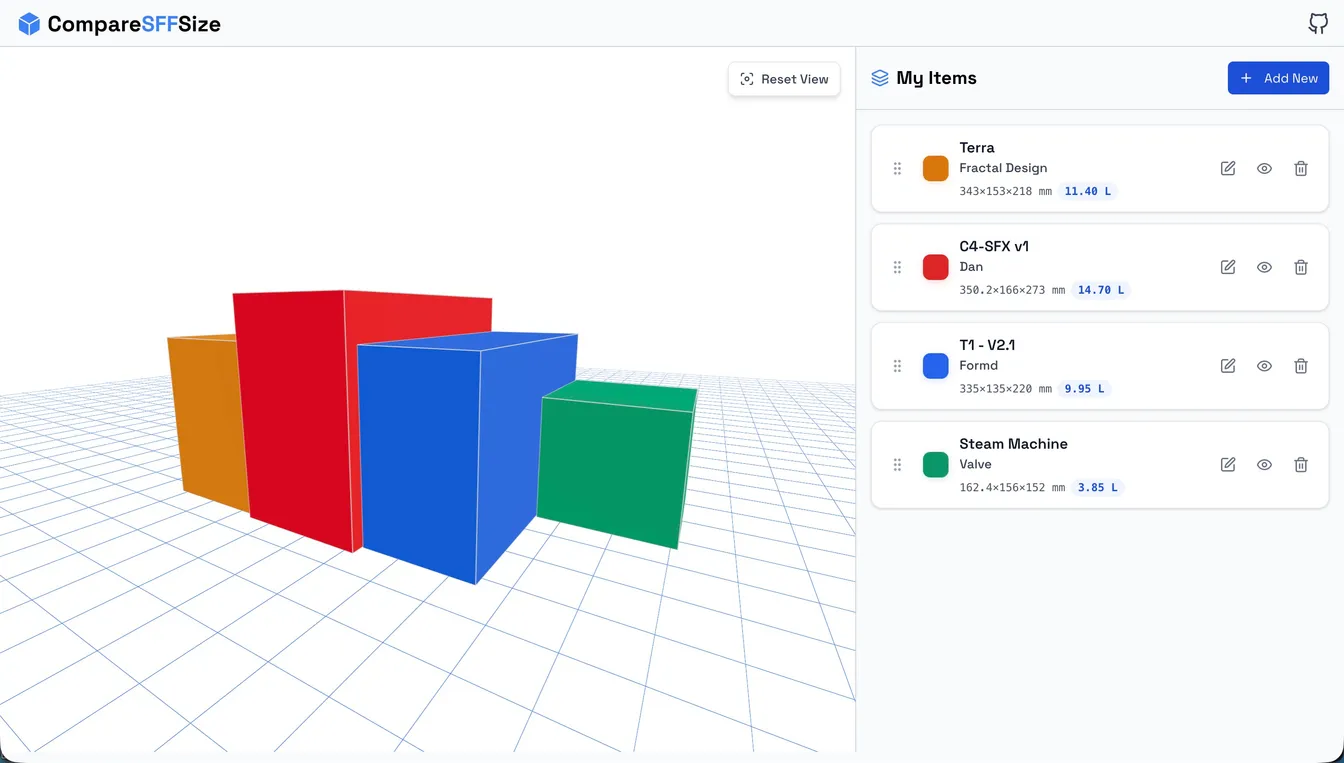
Built a 3D comparison tool that renders PC cases from real dimensions. Includes a pre-populated database and option for users to add custom items for easy comparison. Deployed on a VPS with custom domain and SSL.
Implementation Highlights
- Used React Three Fiber and Drei to render cases from real dimensions and keep the 3D scene manageable inside React.
- Added a pre-populated data set plus custom item support so users could compare existing cases without entering everything manually.
- Kept the app lightweight with a client-side JSON data source instead of introducing a backend for a mostly static catalog.
Technical Challenges
- 3D Scenes and Camera Positioning: When rendering multiple objects it becomes difficult to guarantee every item fits in the same view. To ensure all objects fit in view, the camera was auto-centered using drei helpers. Object positions were calculated dynamically based on their widths and gaps, updating bounds whenever the selection changed.
- Drag and Drop: The items list should be re ordered so the user can compare items side by side in the canvas. I originally implemented a drag and drop system using the native HTML Drag and Drop API however it does not support mobile input or keyboard events. An external library dnd-kit was used to provide additional accessibility.
- Responsive Mobile Layout: The split-pane design (3D canvas + item list) does not work well on mobile screens. This was solved by implementing a toggle view tab system where mobile users switch between the canvas and item list views.
- Data Management: A JSON file was enough to avoid backend overhead early on, but became harder to maintain as the catalog grew. I added tooling to edit and export updated data instead of treating it as a static hand-edited file.