Back
HomeSaver
Main Tech Stack
- Svelte
- Web Extension
- Tailwind CSS
Problem
A problem I personally have on the YouTube homepage is a misclick or refresh can instantly change recommendations and make it easy to lose a video I intended to watch.
Solution
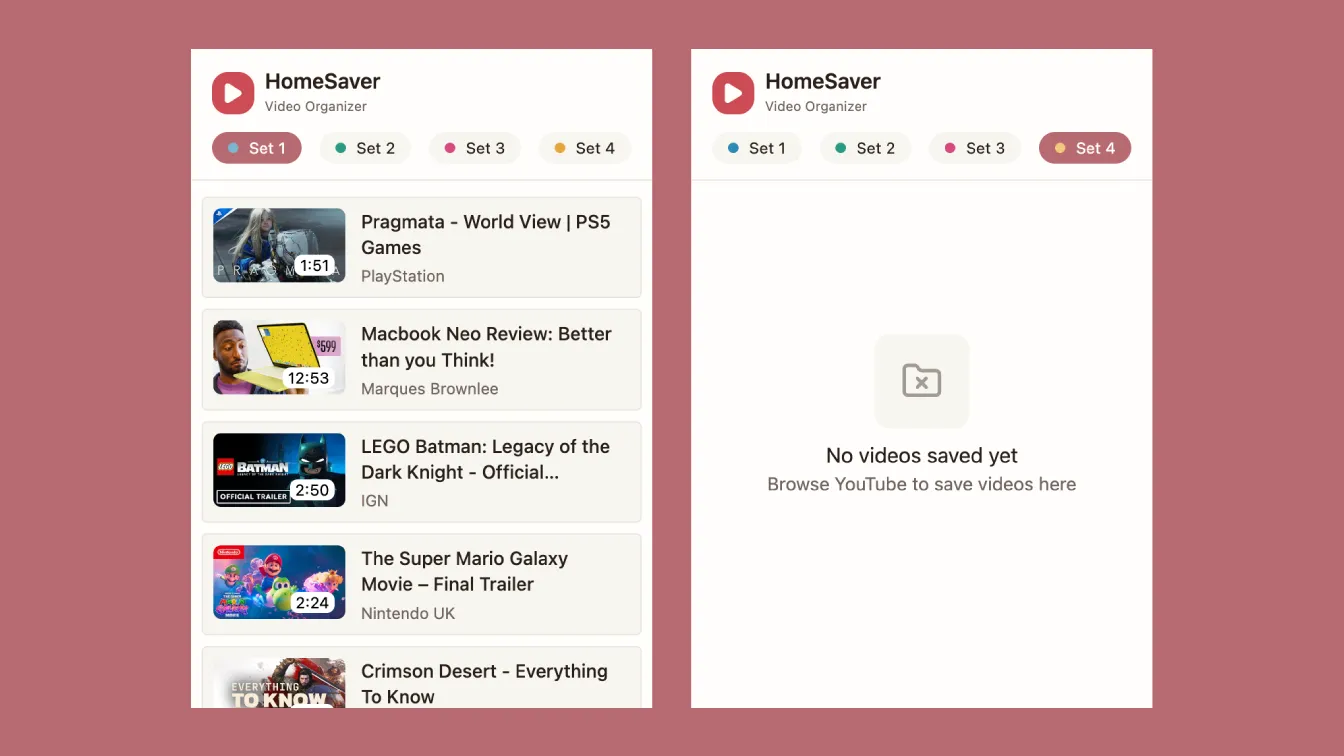
This extension automatically saves video links whenever the user visits the homepage. 4 different sets of 6 videos can be saved at one time.
Implementation Highlights
- Built the popup UI with Svelte to keep the extension lightweight and to explore a framework beyond React.
- Used a ring-buffer storage model so the extension always keeps the latest saved sets without unbounded growth.
- Added a storage abstraction layer so the popup could be tested in development without reloading the extension in Chrome on every change.
Technical Challenges
- Data Parsing: Originally parsed data from ytInitialData (YouTube’s internal JSON data). However, due to YouTube’s SPA architecture when the user returned to the home page, ytInitialData would not refresh with updated information. Switched to DOM scraping to extract video metadata directly from DOM elements.
- Single-Page Navigation: YouTube does not reload the page on navigation. Handled YouTube’s single-page navigation by listening for navigation events with MutationObserver, ensuring data capture across route changes.
- Content Security Policy: Chrome extension CSP blocks inline scripts generated by Svelte. Resolved by configuring Vite to output dynamic imports as separate files instead of inline code.
- Duplicate Entries and Storage: Users can return to the homepage without a full page reload and have the same recommended videos as last time, potentially creating duplicate entries. Implemented a ring-buffer storage model (4 sets of 6 videos) using chrome.storage.local. It automatically rewrites older entries to maintain a fixed dataset.